Debug in Studio
Open local Studio and select Runs.
browserlayer studio --local
browserlayer runs list --local
browserlayer runs inspect <run-id> --local --json
Read the run
bookings                         Sync
  reauthenticate                 Flow
    authenticate                 Flow
      verification               Input
  list-bookings                  Flow
    bookings                     Step
      GET https://website        Request
  snapshot                       Commit
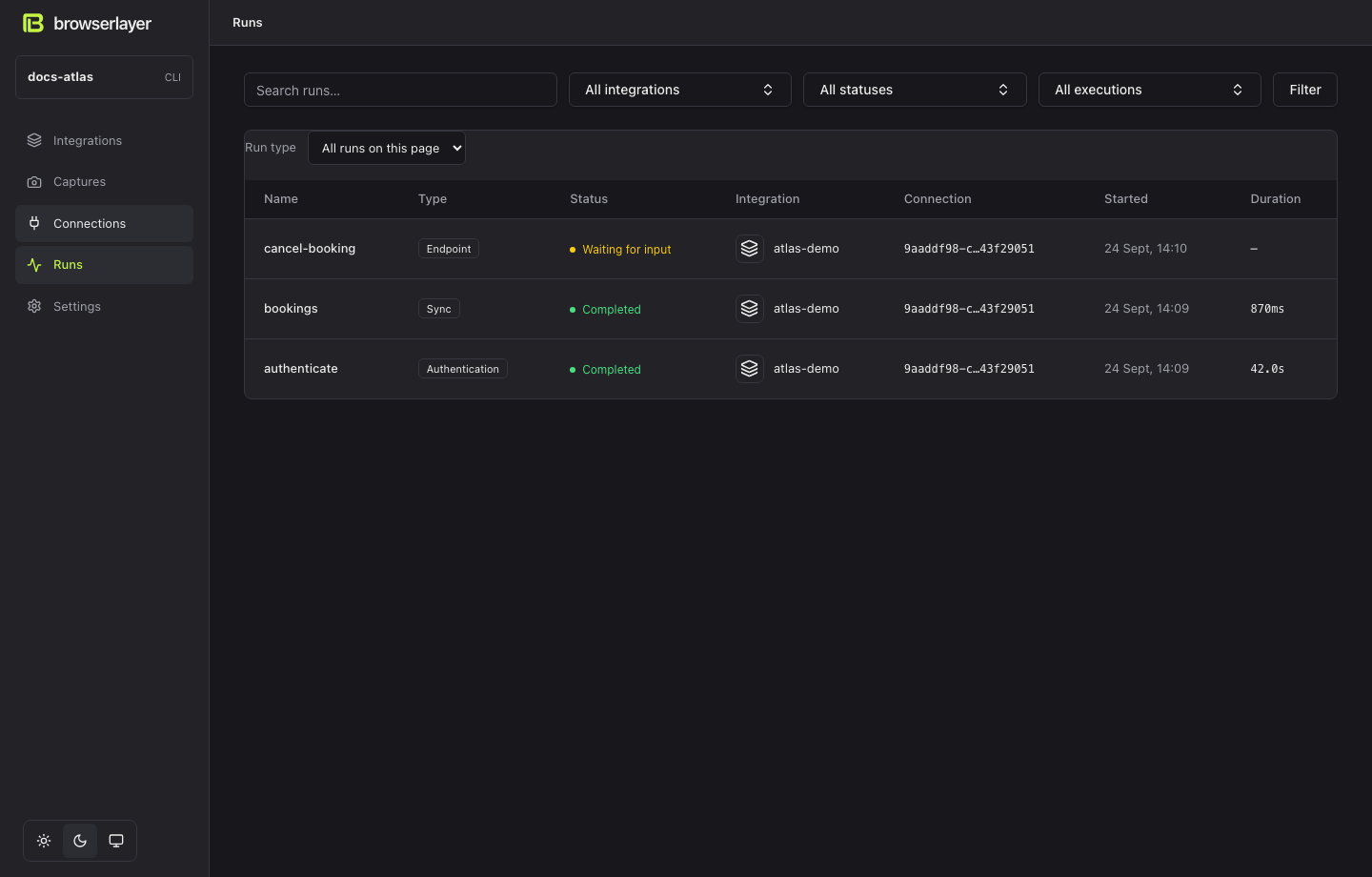
The root is the endpoint, sync or authentication run. Flows are the reusable work underneath it. The run list shows the type and lets you filter the current page.
| View | Use it for |
|---|---|
| Execution | Nested flows, steps, input and publications |
| Events | Execution lifecycle and browser network traffic |
| Input / Output | Endpoint input and result |
| Screenshot | Browser at the last recorded pause or completion |
Select a step or request to inspect its recorded details. Input submissions stay private.
Common failures
| Code | Next action |
|---|---|
CONNECTION_REQUIRED | Select or create a connection |
CONNECTION_REQUIRES_INPUT | Reconnect, then invoke again |
ACTION_UNCERTAIN | Inspect the website before attempting the mutation again |
SESSION_LOST | Restore the connection; inspect any outstanding mutation |
LOCAL_SERVICE_INTERRUPTED | Inspect evidence; start a new local run when safe |
OBSERVATION_TIMEOUT | Check selectors and the website's actual outcome |
Use --env development for deployed run inspection. Local Studio and the cloud dashboard show separate histories.
What a run looks like
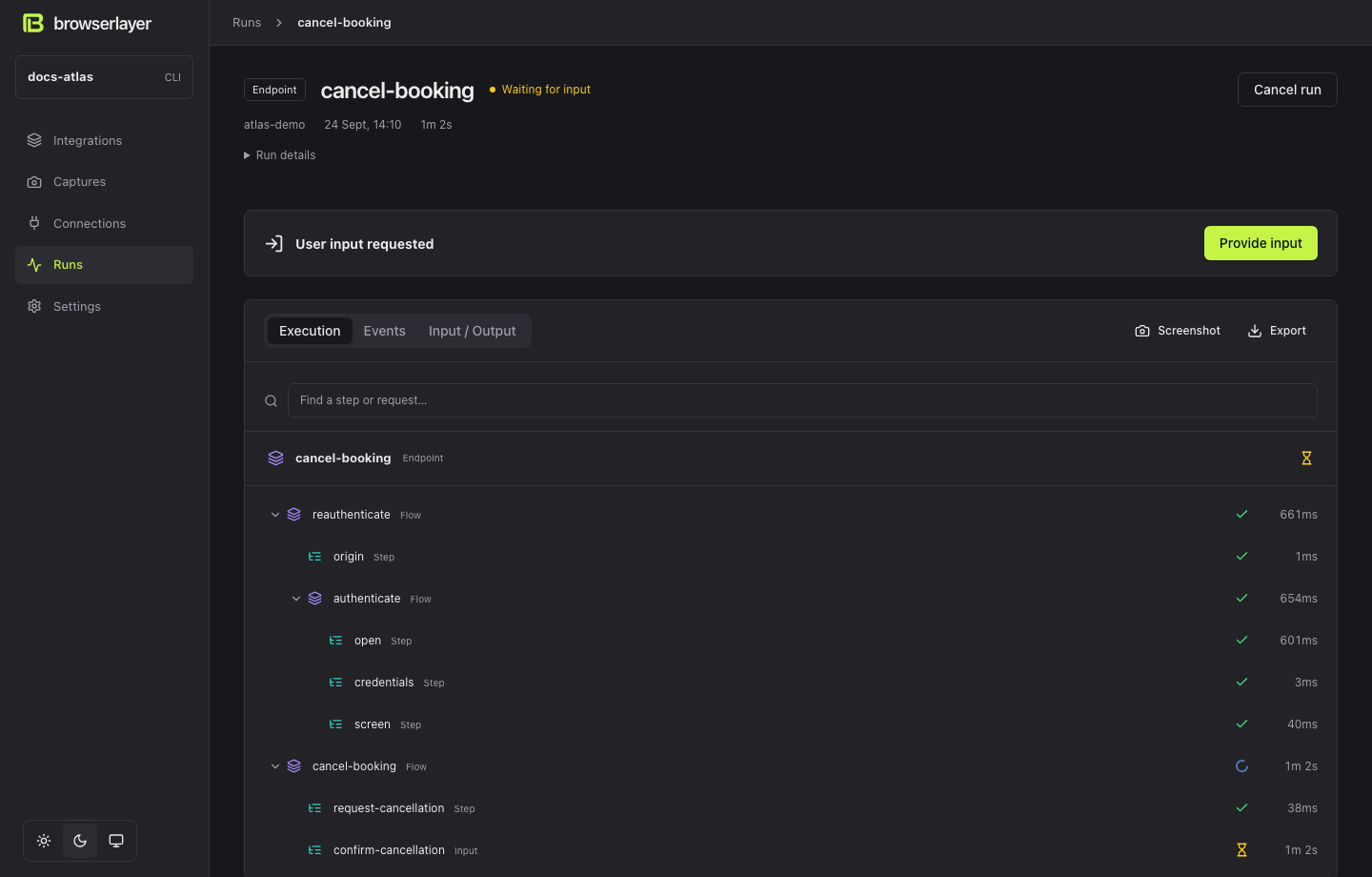
The root is the endpoint. reauthenticate and cancel-booking are internal flows. Select Provide input to continue the same waiting run.
Inspect a step or observation
Select a row in Execution to see its recorded output or error. Observations use an eye icon and show their final result, number of checks and deadline. Publications show their receipt. Input submissions remain private. An interrupted attempt does not display a later attempt's result.