Atlas walkthrough
Connect a synthetic travel account, sync its bookings and cancel one through MFA.
1. Create the tutorial project
After installing the alpha packages:
node "$BROWSERLAYER_SOURCE/scripts/tutorial.mjs" init ./atlas-tutorial
cd atlas-tutorial
npm install "$BROWSERLAYER_SOURCE"/.local/packages/*.tgz
The project contains the complete Atlas integration. Open its files as you follow the connector, authentication and sync guides.
2. Start the website
In a separate terminal:
node "$BROWSERLAYER_SOURCE/scripts/tutorial.mjs" serve ./atlas-tutorialOpen the printed loopback website URL. The generated credentials are in atlas-tutorial/.browserlayer/tutorial.json; use its email, password and verification code. This file is ignored by Git.
3. Test and connect locally
From atlas-tutorial:
npx playwright install chromium
browserlayer test atlas-demo
export BROWSERLAYER_WEBHOOK_TARGETS="$(cat .browserlayer/webhooks.json)"
browserlayer start
browserlayer connections create atlas-demo --local --wait
browserlayer connections list --local
Complete the login and verification in Link. Copy the connection ID.
4. Read synchronized bookings
browserlayer syncs list <connection-id> --local
browserlayer syncs records <connection-id> bookings --local
The local service schedules the first sync automatically. Wait for a completed bookings sync in Studio, then read its changes. Save a returned booking ID for the next step.
5. Watch records arrive in your app
From the tutorial directory, in another terminal:
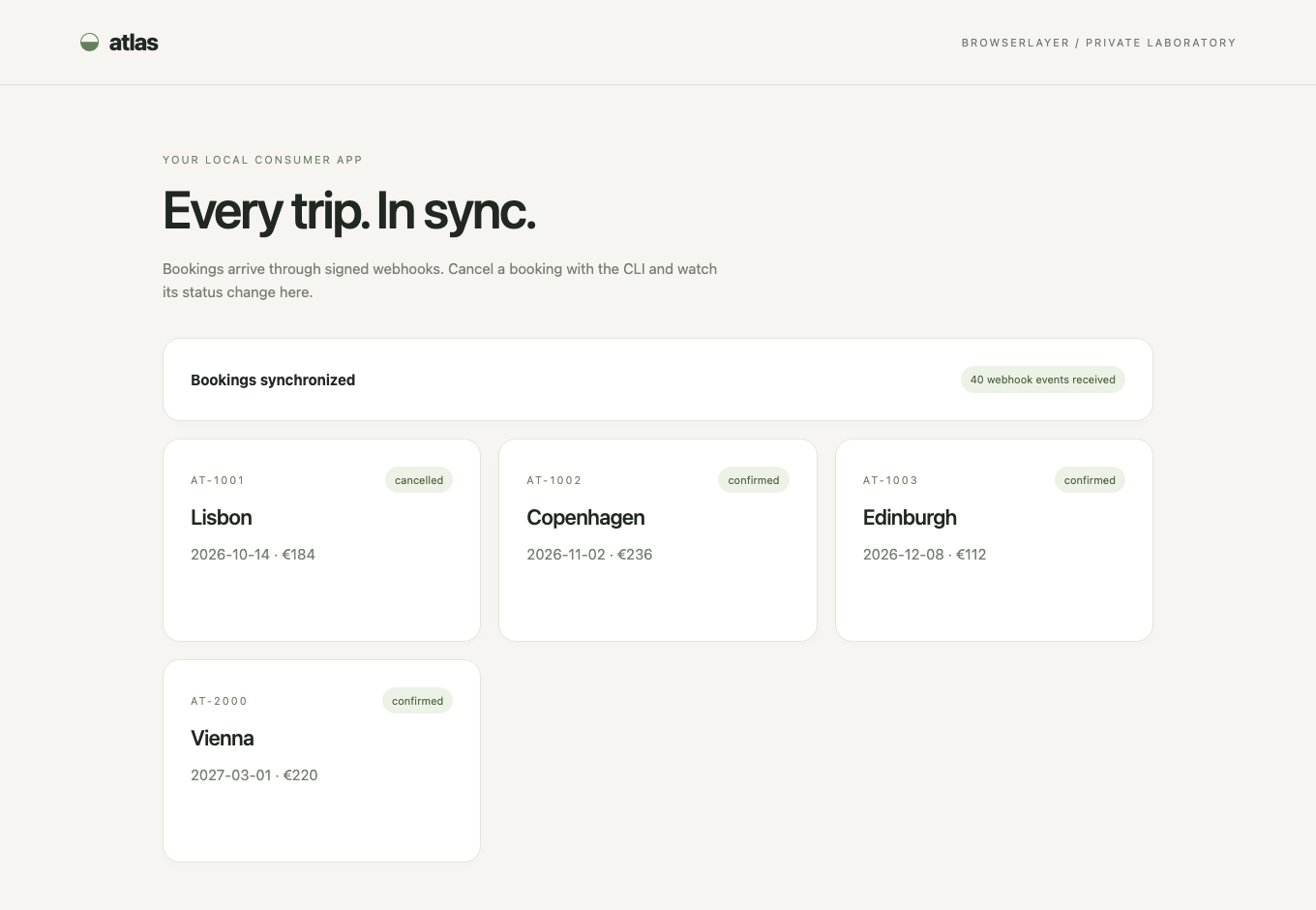
node "$BROWSERLAYER_SOURCE/scripts/tutorial.mjs" consumer . <connection-id>Open http://127.0.0.1:3416. This read-only app persists its own records and cursor in SQLite. It verifies signed webhooks, catches up after downtime and shows sync failures or input requests. The local service's private capability stays on its backend.
Leave the app running during the next step. Its event counter confirms actual webhook receipt; the page refreshes every three seconds.
6. Cancel a booking
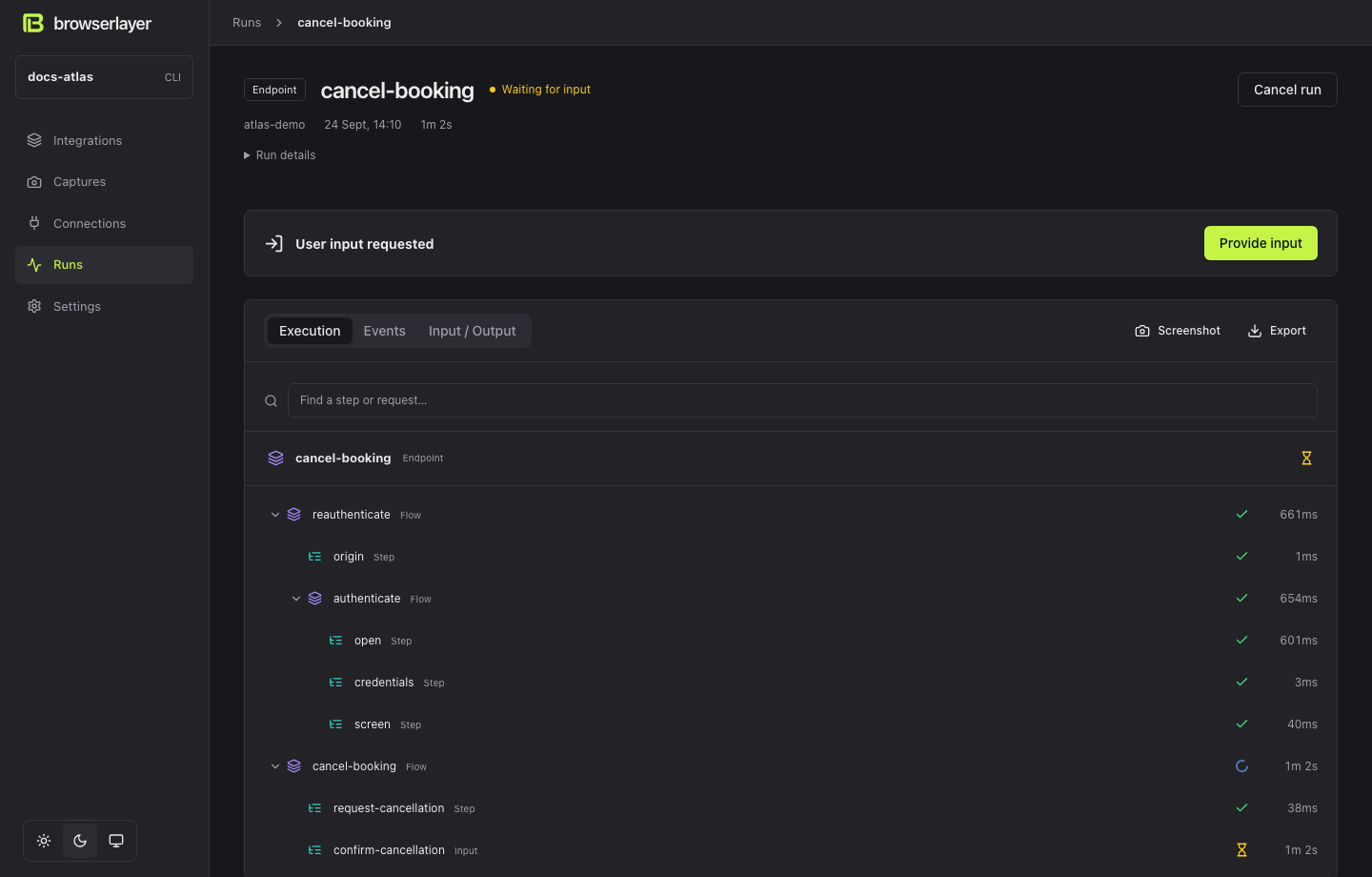
browserlayer run atlas-demo cancel-booking --local \
  --connection <connection-id> --input '{"bookingId":"<booking-id>"}' --wait
Link requests a verification code. Enter the tutorial code. The endpoint completes; the next sync publishes the booking's changed status.
7. Inspect the implementation
| File | What to look for |
|---|---|
endpoints/cancel-booking.ts | Public input/output and connector composition |
connector/flows/cancel-booking.ts | Durable steps around website verification |
connector/site/bookings.ts | Website requests, selectors and parsing |
syncs/bookings.ts | App-facing mapping and complete snapshot publication |
8. Move to the cloud and your app
Follow Deploy and verify. Point the connector at a test website reachable from the cloud browser; 127.0.0.1 in your tutorial means your laptop and will not work from a cloud browser.
Then use hosted Link, call the endpoint, and consume its sync. Keep local and cloud connection IDs separate.