Capture a website
Record the login and operations you want your integration to support.
1. Start recording
browserlayer startIn Studio, choose Captures → New capture, enter the website's full URL and choose Start recording. Chrome opens the website with recording ready.
Sign in, complete MFA, and perform the relevant read or operation. Studio shows page requests, website snapshots and interactions as they arrive. If page evidence is missing, it warns you instead of offering an agent handoff.
Or start from the CLI:
browserlayer capture start https://example.com2. Stop and inspect
browserlayer capture stop
browserlayer capture list --json
browserlayer capture inspect <capture-id>
You can also choose Finish capture in Studio. CLI stop and inspect return a
summary and evidence paths; the full recording stays in events.jsonl.
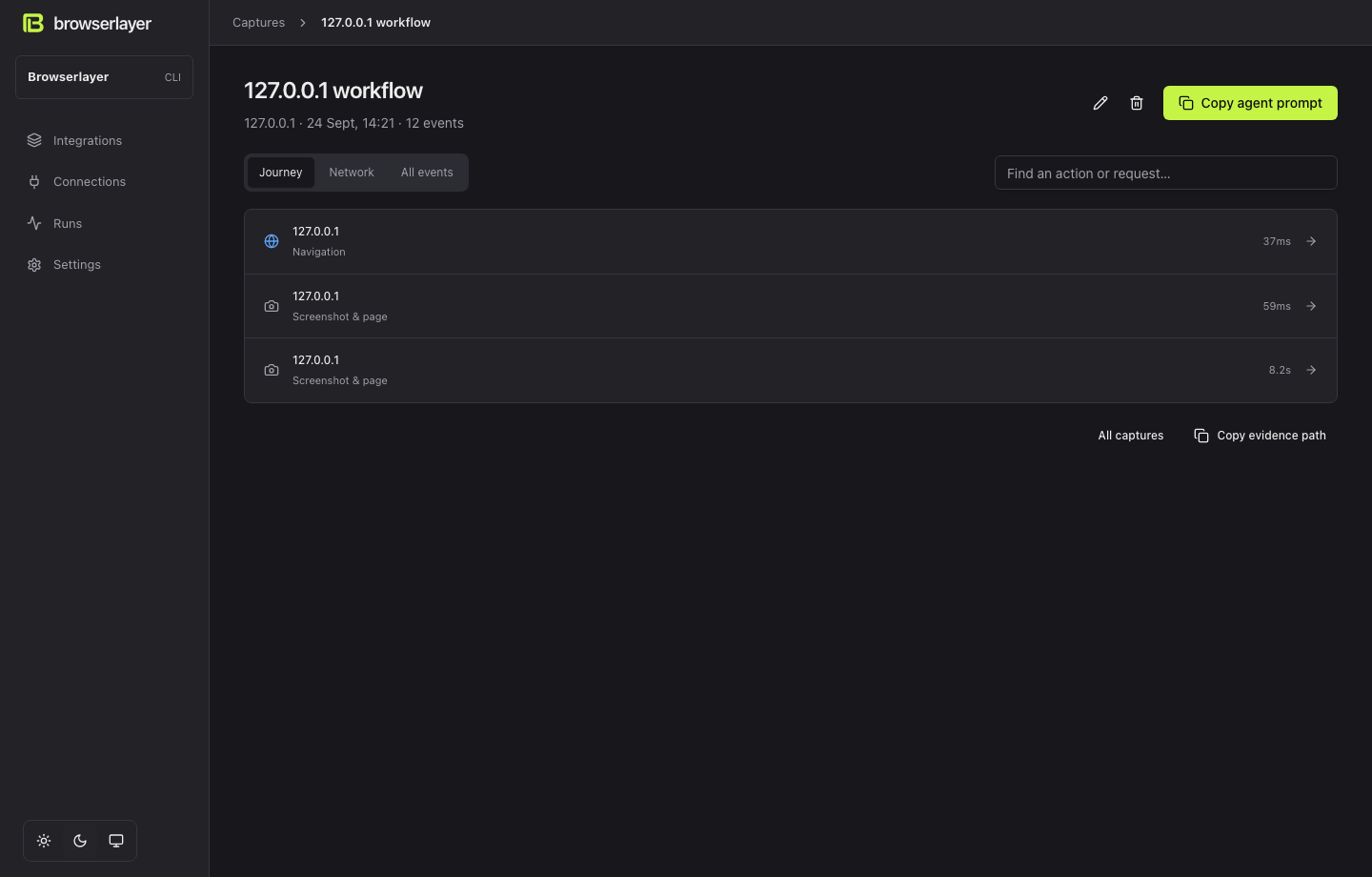
In Studio, select the recording, then Copy agent prompt. Paste it into your coding agent with the task below.
3. Specify the result
Run browserlayer guide, then build an integration from this capture.
I need a bookings sync and a cancel-booking endpoint.
Keep website logic in connector/. Use resumable flows for MFA.
Propose the input/output schemas, implement and test locally,
then help me deploy and verify in Development.
Captures can contain credentials and private website data. They stay in ignored local state. Sanitize fixtures before committing them.
Next: Build with an agent.